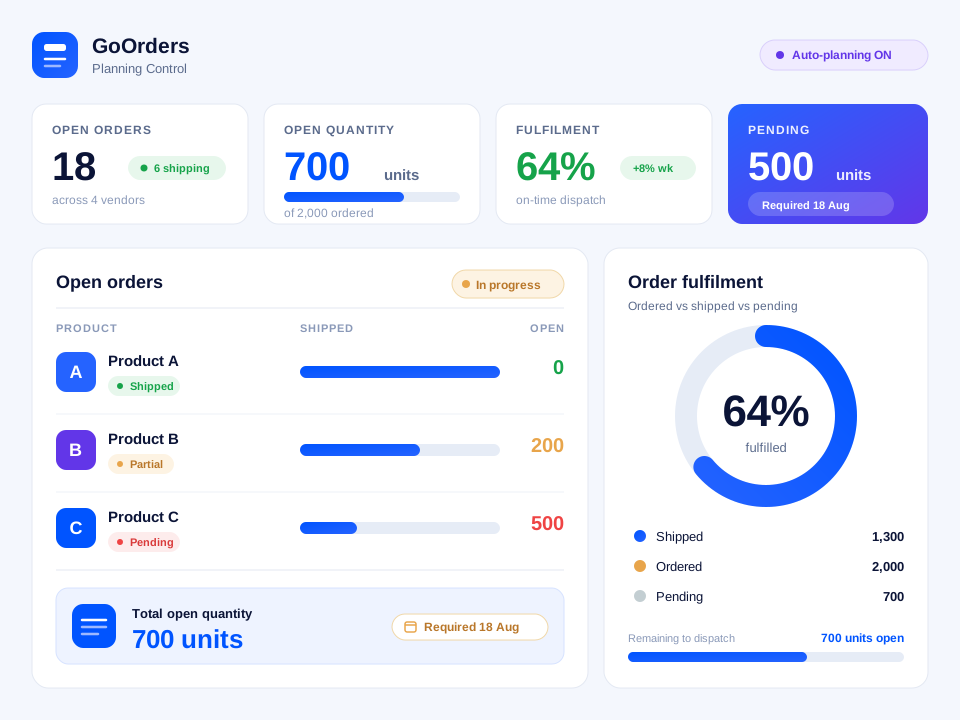




Planning Control
Identify open demand and determine what needs to move next.
Powered by GoOrdersExplore morePlanning Control, powered by GoOrders
Connect orders, supplier readiness, open quantities, and shipment execution so teams can act earlier, keep fulfilment on track, and reduce manual planning work.
See GoOrders in action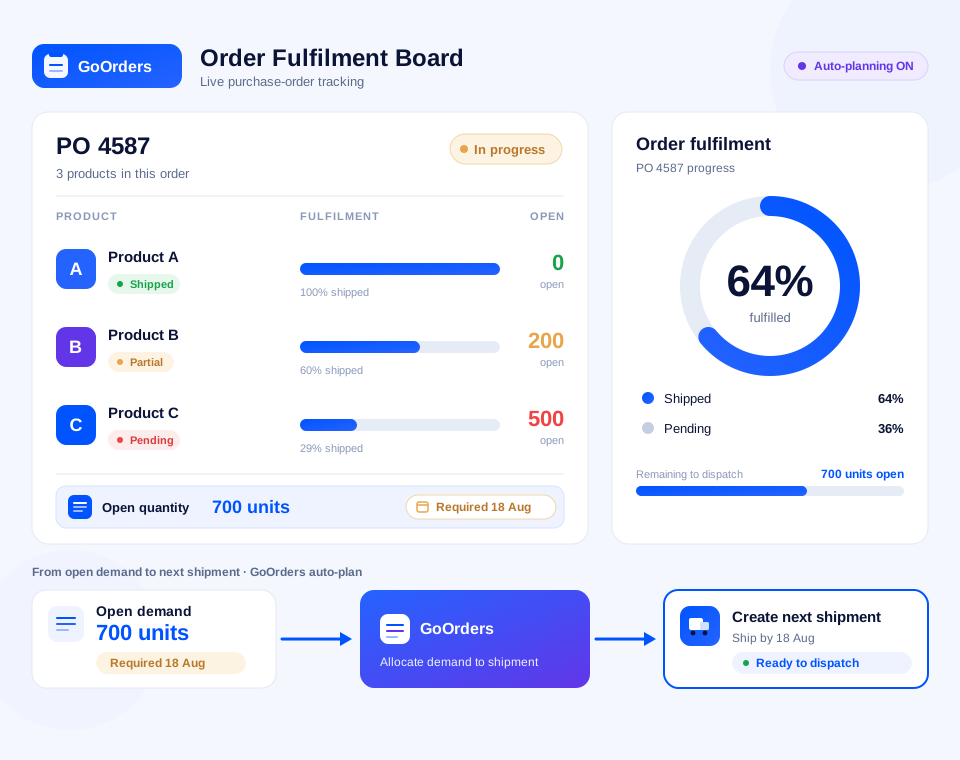
Trusted by global enterprises
Trusted by global enterprises


















Connected across your logistics network
5000+ carrier integrations
Connected across your logistics network5000+ carrier integrations


Orders get partially fulfilled, supplier readiness changes, and quantities move across different shipments.
Planning teams need a clear view of what is still open, what is already moving, and what needs attention next.
Every partial shipment changes what is still left to move.
One order may move across several shipments, while one shipment may fulfil several orders.
ERP exports, shipment records, supplier updates, and spreadsheets are combined to understand the latest position.
By the time an open quantity is identified, the required date may already be at risk.
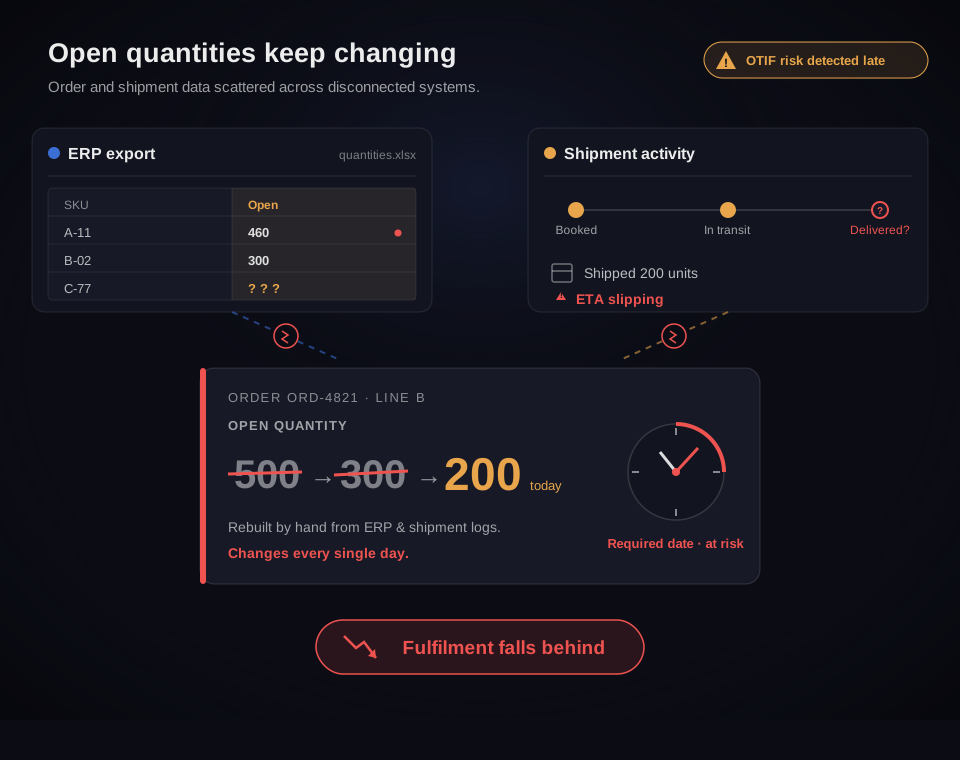
GoOrders keeps orders, quantities, and shipments connected so open demand stays visible and actionable before fulfilment falls behind.
Keep order, quantity, and shipment information connected as goods begin to move.
Every shipment updates the fulfilment picture behind the order.
Follow an order into executionNova combines order dates, priorities, quantities, shipment activity, and your configured planning rules to identify what needs attention.
Which of these orders can we consolidate so we’re not shipping half-empty containers?
Work below the order header, reconcile quantities, keep every relationship traceable, and move open demand straight into execution.
Keep products, order lines, schedules, quantities, and required dates connected in one operational view.
OutcomePlanning teams work from the level where fulfilment actually changes.
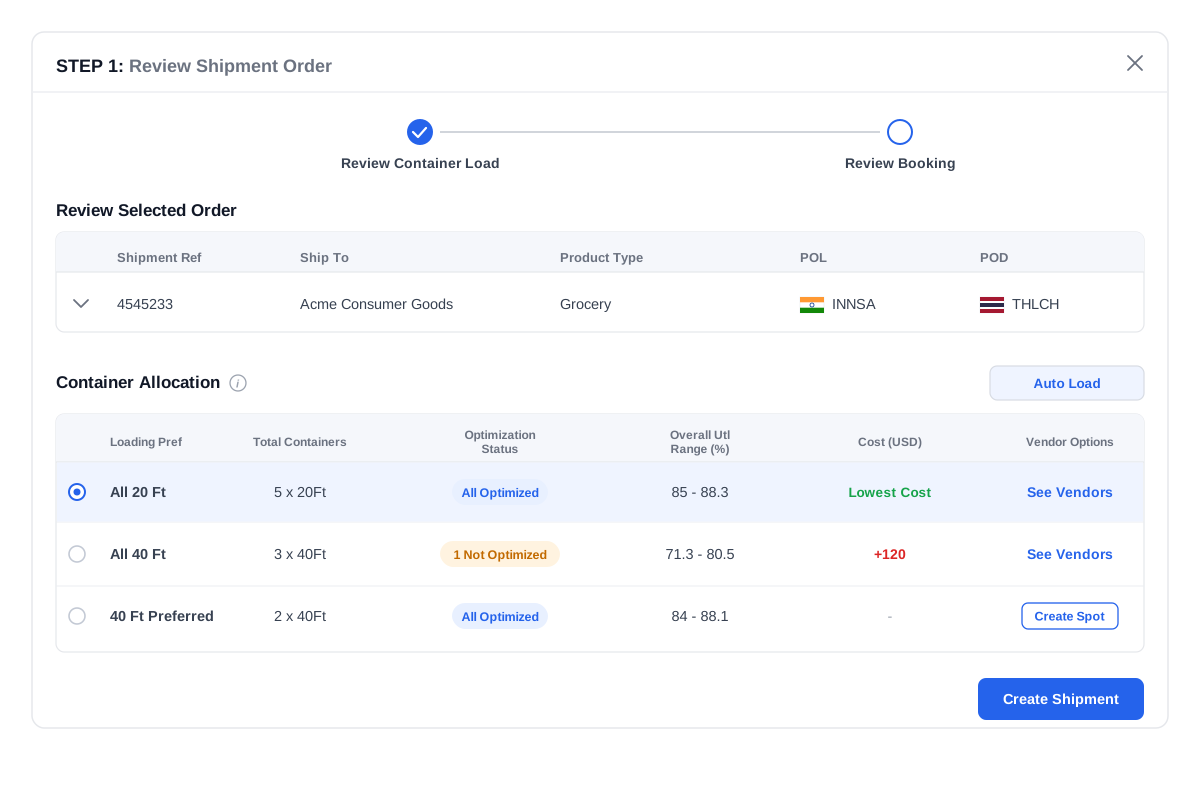
Compare ordered, shipped, and pending quantities without rebuilding the calculation in Excel.
OutcomeKnow what still needs to move after every shipment.
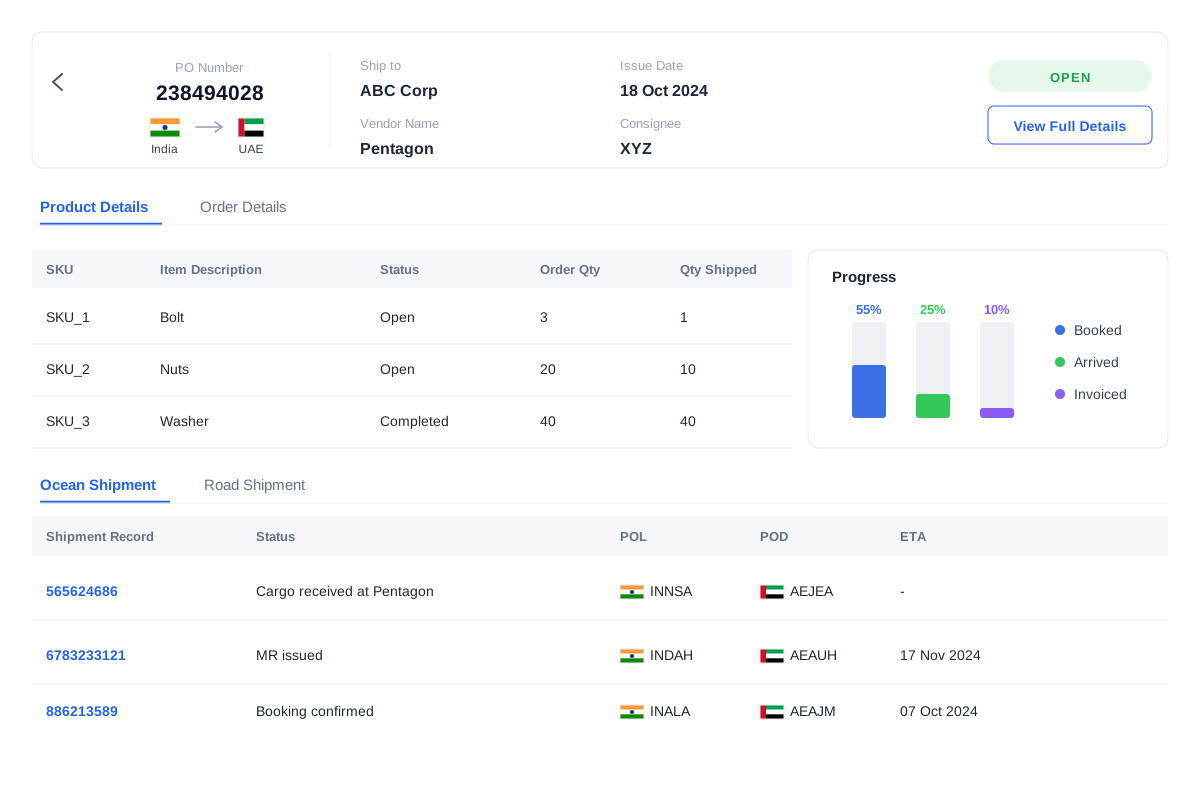
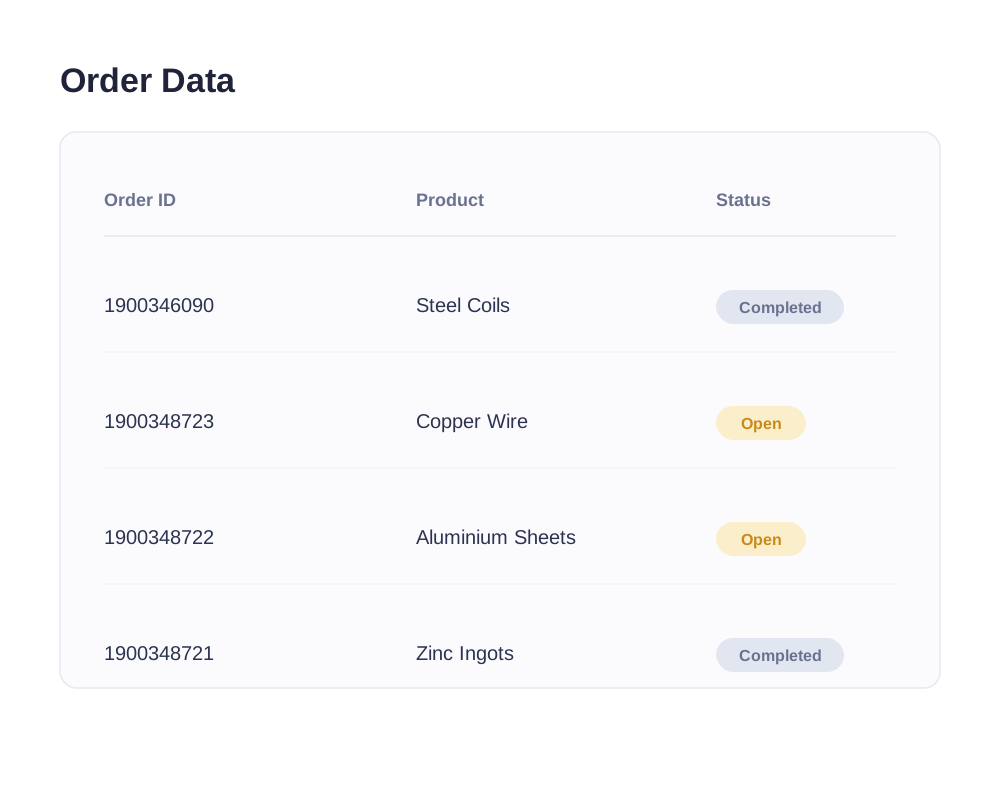
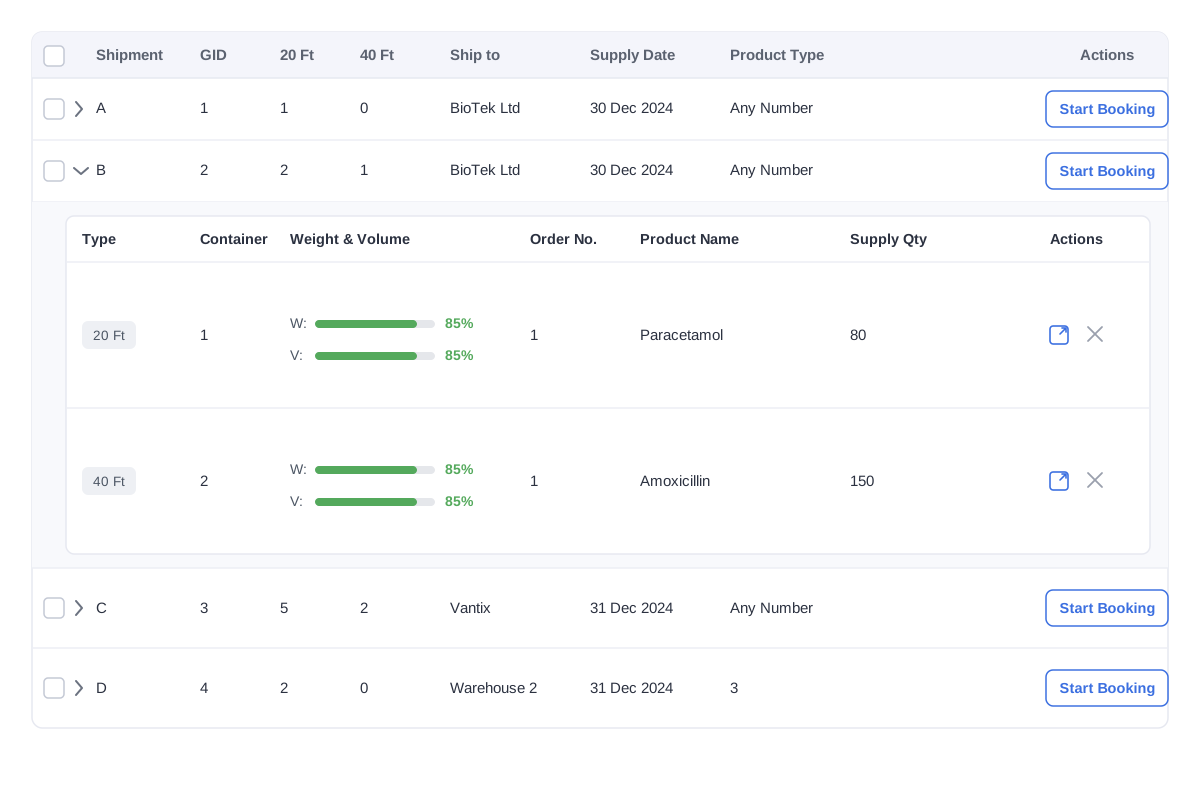
Trace one order across several shipments and one shipment back to several source orders.
OutcomeSplit and consolidated fulfilment does not break traceability.
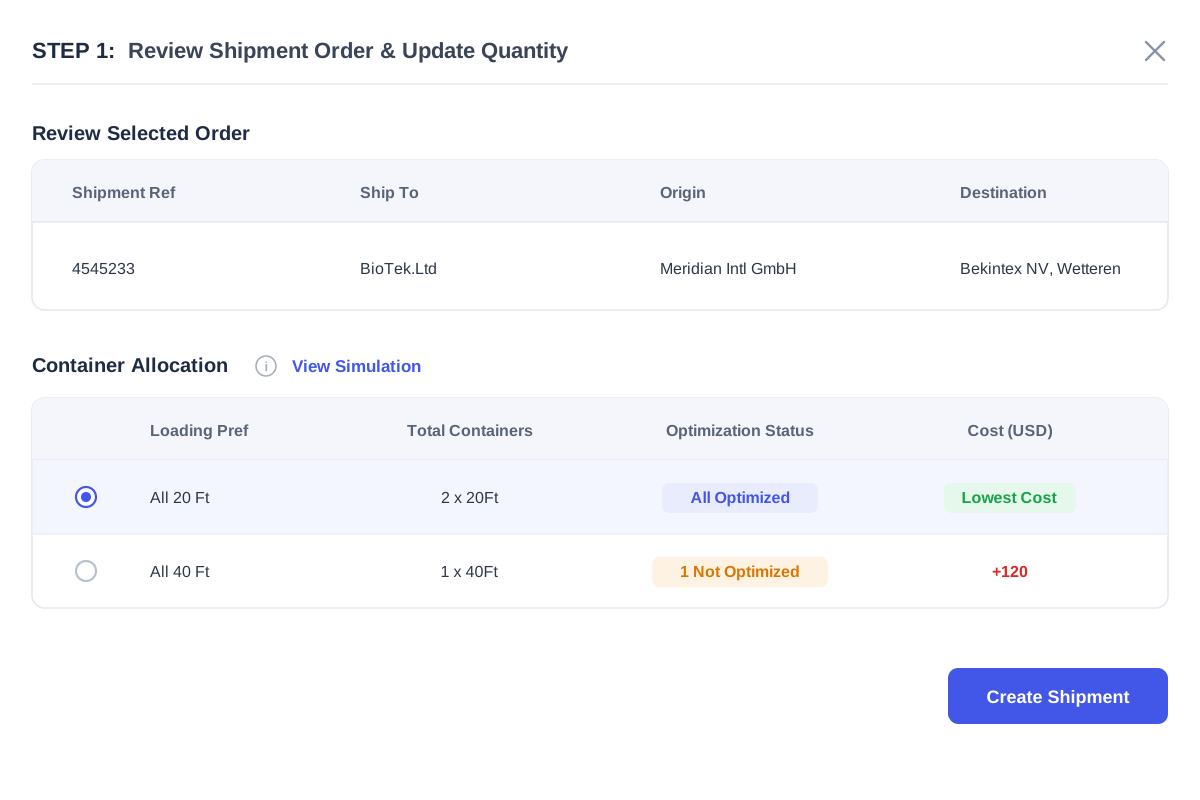
Select pending order lines and quantities, create the shipment, and continue execution in GoShipment.
OutcomeMove directly from identifying open demand to starting the next shipment.
Identify open demand and determine what needs to move next.
Powered by GoOrdersExplore more
Test freight rates and record the commercial award.
Powered by GoProcureExplore more
Keep documents, partners, and shipment workflows compliant.
Powered by GoShipment + DRDVExplore more
Track movement, ETAs, and prioritised exceptions.
Powered by GoTrackExplore moreConnect disruption signals with exposed freight.
Powered by Market IntelligenceExplore more
Validate billed charges against what was agreed and what actually moved.
Powered by GoInvoiceExplore moreEach control creates context for the next decision.
Explore the Freight Control EngineYour ERP continues to hold the commercial order. GoOrders adds the operational planning layer needed to understand what remains open and connect it with shipment execution.
Configure around
What was ordered, what has shipped, and what needs to move next?
What needs to happen to execute that shipment?
Planning Control connects open orders, required dates, quantities, and shipment execution so teams can see what still needs to move and act before fulfilment falls behind.
GoOrders is the GoComet product that powers Planning Control. It connects ERP order data with shipment execution and keeps ordered, shipped, and pending quantities connected.
Planning Control helps teams identify open and partially fulfilled quantities alongside required dates and shipment activity so they can act earlier when fulfilment is at risk.
No. The ERP remains the system of record. GoOrders uses relevant ERP order information to support operational planning and shipment execution.
GoOrders helps determine what still needs to move. GoShipment manages the workflow required to execute the shipment.
Yes. GoOrders keeps partially fulfilled quantities connected to the original order line and shows how much remains open.
Yes. An order or order line can remain connected to several shipments when fulfilment happens across multiple movements.
Yes. A consolidated shipment can contain quantities from several orders while retaining the relationship to each source order.
Yes. Teams can select relevant order lines and quantities and create the next shipment from the same order context.
GoOrders receives relevant order and master data through configured APIs or agreed data flows. The exact fields and update process depend on the customer’s ERP structure.
Bring a recent ERP open-order export and a few related shipment records. We will show how Planning Control connects open demand with shipment activity, identifies what still needs to move, and carries the next shipment into execution.
One open-order report and a few related shipments are enough to begin.